Envelopes & safe-to-spend
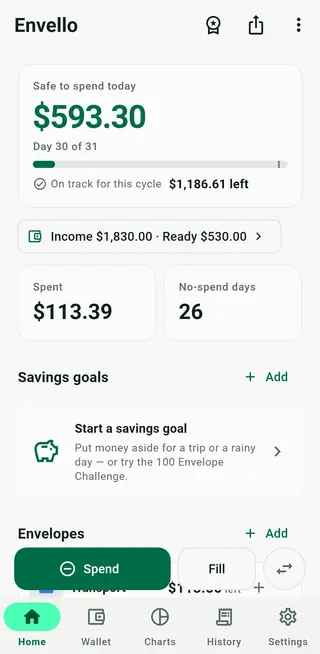
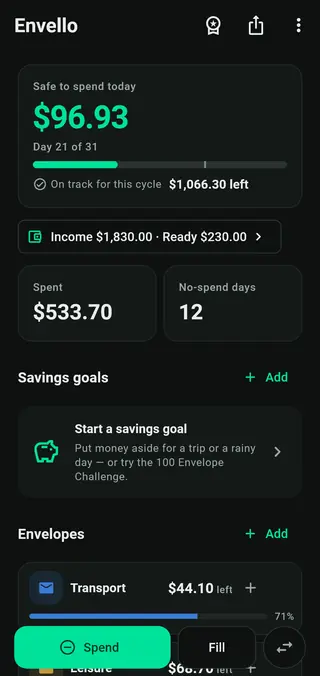
Give every envelope a job — rent, food, fun. A pace bar shows whether you're on track, and the home screen divides what's left by the days remaining in your cycle.
Envelope budgeting + wallet
Envello splits your income into envelopes and answers one question every morning: how much can you spend today and still stay on plan? Budget, wallets, income and recurring bills live together in one app.
Free with banner ads · Pro is a one-time purchase, no subscription
Safe to spend today
$96.93
Day 21 of 31
On track for this cycle $1,066.30 left
Reconcile
Every budget drifts: a coffee you forgot to log, a card fee, cash left in a jacket. Type what's really in a wallet or an envelope, and Envello books the difference as a dated adjustment. Your numbers match reality again in seconds — without rewriting history.
Cash, a card, a bank account — or any envelope. Tap Reconcile.
Type what your banking app or your purse actually says.
A dated adjustment closes the gap. Your history stays intact and today's safe-to-spend number is right again.
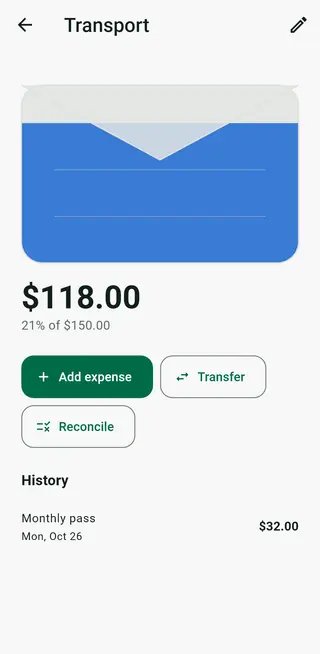
Match real balance
CashEverything in one place
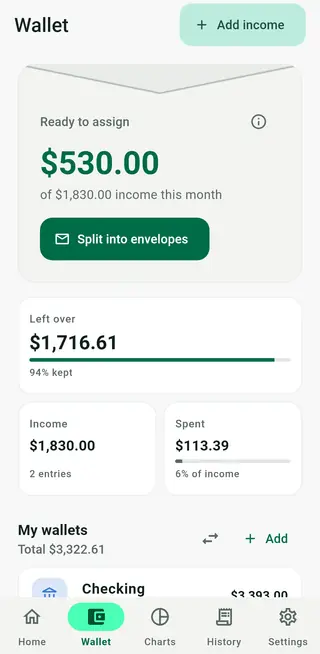
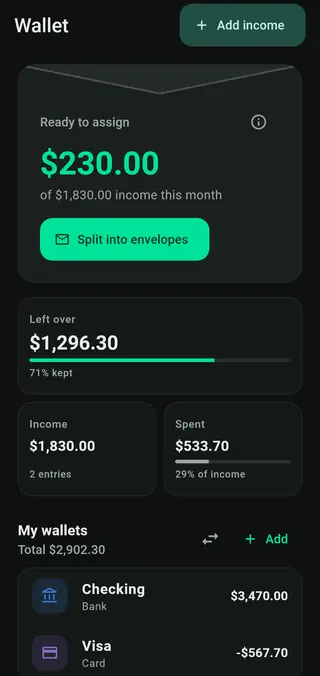
Envelopes tell every dollar where to go. The wallet tracks where it really is. Envello keeps the two in step.
Give every envelope a job — rent, food, fun. A pace bar shows whether you're on track, and the home screen divides what's left by the days remaining in your cycle.
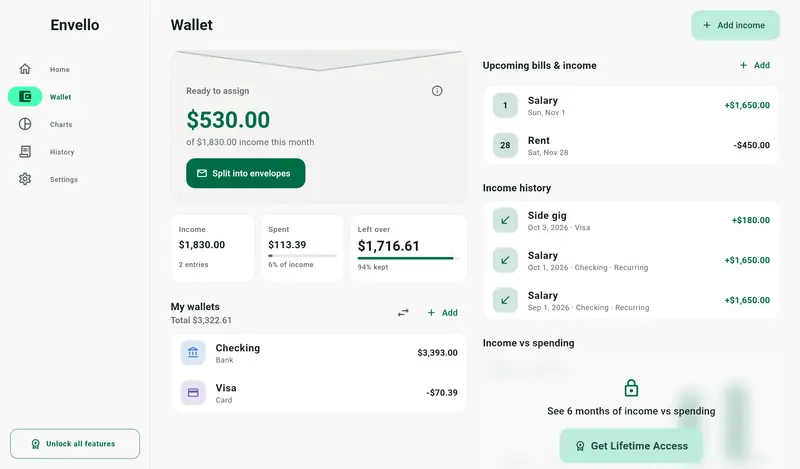
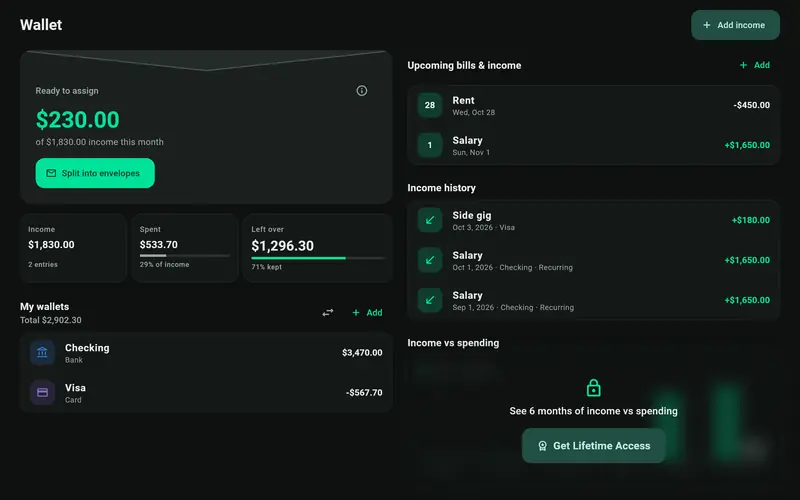
Log paychecks, keep cash, cards and bank accounts side by side, and see recurring bills before they land. “Ready to assign” shows money still waiting for an envelope.
See where the money went, envelope by envelope, and compare income and spending across six months.
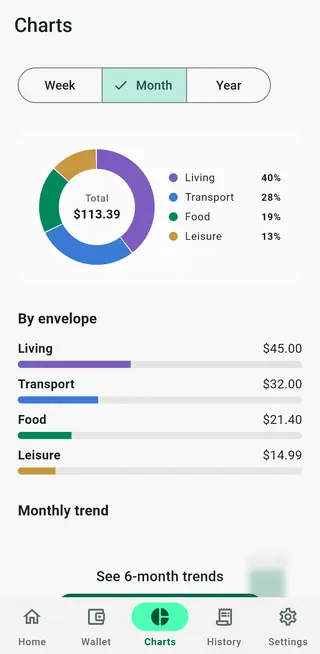
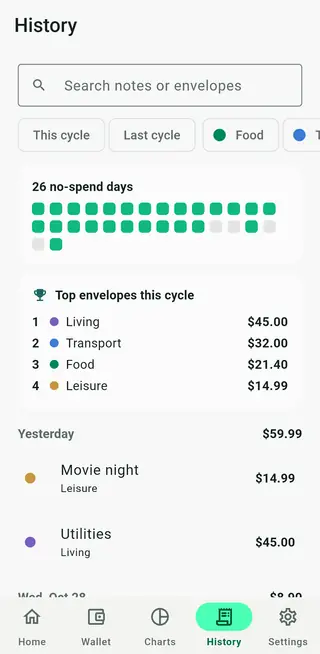
Find any transaction in seconds. Count your no-spend days and keep the streak alive.
Save for a trip or a rainy day — or take the challenge: envelope n holds n × your unit. Fill all 100.
37/100
The last 7 daily backups stay on your device. Export to CSV or JSON and send it wherever you choose.
Envello speaks your language and formats money the way you're used to.
Two-pane layouts put your envelopes and their details side by side, in light or dark.
Pricing
Free
Includes banner ads
One-time purchase
No subscription. The price is shown in the App Store or Google Play in your currency.
Purchases are handled by the App Store or Google Play. Moved to a new phone? Use Restore Purchase in the app.
Yes. You can download and use Envello for free; the free version shows banner ads and has a few limits (for example, up to 12 envelopes). Pro removes the ads and the limits.
No. Pro is a one-time purchase. You pay once and keep it, including future updates. There's nothing to renew or cancel.
No. There is no sign-up and no login. Your budget is stored on your device, not on our servers.
No. You record income and spending yourself, which keeps you aware of every purchase. When things drift, Reconcile matches the app to your real balance in seconds.
Envello takes what's left in your envelopes for the current cycle and divides it by the days remaining, including today. Spend less today and tomorrow's number goes up.
Export a backup file in Settings (a Pro feature), then use Import backup on the new device. Restore Pro on the new device with Restore Purchase.
Envello suggests a currency based on your device's region, and you can change it any time in Settings.
Open Settings → Clear App Data, or simply uninstall the app. Because your budget only lives on your device, that removes it completely.
Free on iPhone, iPad and Android.